

Example Worlds
Lighthouse Night Watch
Lighthouse Night Watch is a short side-view adventure: on a stormy night the lighthouse goes dark, and a cat must light it before dawn. Find the gear and the oil along the shore, repair the winch inside the tower to lower a drawbridge, climb to the lamp and light it — then walk into the dawn to meet the old keeper. The whole flow uses only existing blocks: pickups, conditions, compute, timers, lights, gates and dialogue assets. The countdown, the lighting, the gear repair and the ending branch all live in the world data; import it below and take it apart piece by piece.
- A two-jump climb on the cliffs: the gear and the oil each hide on a ledge on one side;
- Three conditional gates: the lighthouse door (gear + oil; once unlocked it stays enterable even after the gear and oil are consumed) → the winch (repaired with the gear, lowering a drawbridge) → the lamp (lit with the oil);
- The dawn countdown: a two-minute timer keeps running, and after it hits zero the ending dialogue switches to its “dawn has broken” variant;
- Darkness and lanterns: the shore and the tower are dark, lit step by step by lanterns; lighting the lamp brightens the whole tower;
- A dialogue asset ending: the old keeper has an avatar, a name colour, a dawn branch and two choices.

Forest Cabin
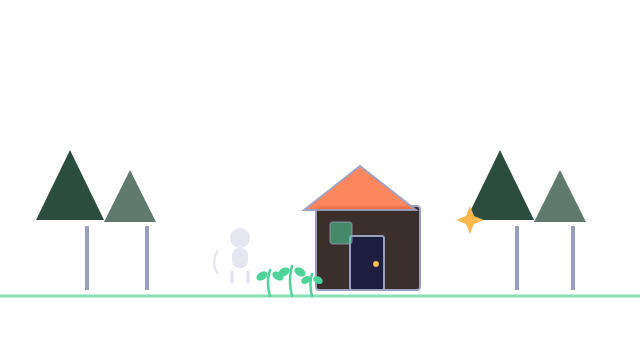
Forest Cabin is made of three scenes: a cabin on a grassy clearing, a dark cellar, and a side-view wilds you cross by jumping. Each scene demonstrates a different set of mechanics — click the button below to import it into My Worlds, then open it in the editor and change anything you like.
The quest line is light: pick up the rusty key, read the symbol on the wall — only with both done will the cellar door open. A note by the door nudges you along, and the coin counter in the top-left follows you across scenes. There is no quest list; the clues live inside the world itself.
The old witch says she aches. Pick a couple of herbs and put them in your bag, then talk to her: the interaction checks "herbs in your bag > 0", and when that passes it consumes one herb and restores her health by the herb's heal value. Talk to her empty-handed and you only get a hint. There is no "healing" feature in the platform — this is assembled from variables, conditions, and effects.
| What you see | What's behind it |
|---|---|
| The cellar door demands key plus passphrase | Picking up the key sets the world variable has_key to 1; reading the symbol sets knows_symbol to 1; the gate opens only when both trigger conditions pass |
| Coins collect on touch; the top-left counter ticks up live | Coins pick up on touch and skip the bag; their trigger compute adds 1 to has_coin, and the on-screen counter reads that variable live |
| The creaky side door closes for 10 seconds, opens for 3, forever | Two timers start each other: one opens the door when it fires, the other closes it |
| The cellar is pitch dark, and the second torch lights up when you grab a coin | The scene's darkness is set to 60; the coin's trigger compute flips the torch's "lit" variable to 1 |
- The Wilds is a side-view scene: coins hover above platforms and must be caught mid-jump; falling off the edge brings you back to where you entered.
- Pick the berry, wait 3 seconds beside the spot — it grows right back.
- Your character in test runs is the sample little white cat.
- The forest and cellar share one background tune, and the Wilds switches to another; keys and coins ding when picked up, and gates click with a latch.
- A note in the cellar says: what is truly valuable never sits out in the open — worth a closer look in the dark room.
Bi Qi
Bi Qi is a four-player card game — take a seat, get dealt, play, pass, score — all inside a single card-table scene. It is a multiplayer world for up to four users, and you can also open it in a test run to play all 52 cards by yourself. Click the button below to import it into My Worlds.
- Walk up to a seat and press E to sit; taken seats turn green.
- Once all four seats are taken, the deck shuffles and deals automatically — 13 cards each (in a test run, sitting down deals right away).
- The user holding the spade 7 plays first; at the start it is the only playable card.
- On your turn, press E on one of your cards: any 7 is always playable (it opens its suit's line); other cards must extend their own suit's line — one above the highest or one below the lowest.
- While you hold playable cards, pressing an unplayable one does nothing — you must play.
- Only when none of your cards is playable does pressing one pass it — the card you press is the one passed, scored by rank (A=1 … K=13). The top-left shows whose turn it is; the top-right shows all four scores live.
- When all four hands are empty the game ends — the user who cleared the last hand wins, whether by playing or passing. Seats then reset for another round.
Shuffling, dealing, judging plays, scoring passes, deciding who starts and who wins — none of it is provided by the platform; it is all assembled by the author from variables, functions, conditions, and state sprites. There are no built-in cards or poker anywhere in the platform; even the card faces are just images the author added.
Every user carries their own "seat" user variable: 0 before sitting, then 1–4 by seat in a multiplayer world — in a solo test run it stays 0, which is exactly why all 52 faces are yours. Card faces are driven by it: you see only your own hand face-up; everyone else's cards show their backs.
set [.turn] = [.turn] + 1
set [.winner] = [.seat]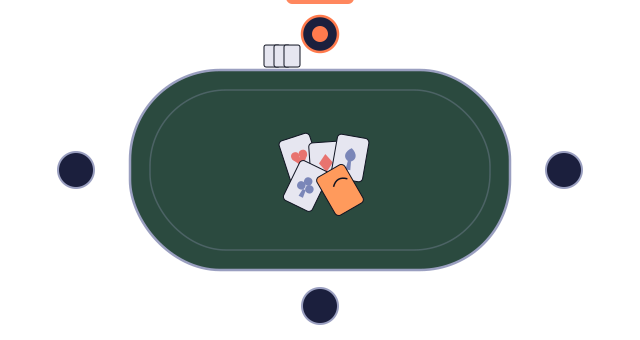
More examples
An action-style example is on the way, and the list will keep growing. Each new example is not content to admire but a new combination of the same building blocks — your next material for taking things apart.
And the next great example may well be yours: publish a world as public and it joins the Great Wild World, where others will take it apart the way you are taking these two apart now.
How to learn from examples
- First, enter the world and play it all the way through without analyzing — just note which interactions made you go "clever".
- Open the editor and start with the objects on the canvas: click each one and read its Trigger Conditions and Trigger Compute.
- Open ⚙ World Settings for the world variables and user variables; then the ƒ Functions library, guessing each function's job from its name before reading its formula.
- Look at State Sprites in the object library — how one object swaps its look as variables change: Bi Qi's seat buttons (open blue / taken green) and hand slots (face / back). Doors swap through their built-in open sprite, and a torch's lit state changes its glow, not its sprite.
- Change something: tweak a value, remove a condition, add a trigger compute — then press ▶ Test Run and watch the result instantly.
- Break it on purpose — wherever it breaks, that principle is now yours.
The real lesson of these two examples is not how much they contain, but how little: healing, cards, turns — none came from the platform, only the same small blocks recombined. Aim not to pile more objects into a scene, but to get more play out of fewer blocks.