

Beyond the World
Titles
Authors define a title ladder for their world on the Titles page of World Settings: each rung is a title name plus a coin threshold. When a user's total donations in your world reach a threshold, they automatically earn the matching title (the highest rung they qualify for).
Threshold rules: every rung starts at 20 coins minimum, increases strictly rung by rung, and you can define up to 20 rungs. Saving takes effect immediately — users who have already donated are re-matched to the new ladder at once, with no new donations needed.
The world page shows the full title ladder to every visitor and highlights your "My title". Authors and users are treated alike — donate to your own world and you earn its titles like anyone else.
Titles are also mechanic material: the editor exposes a read-only "Title level" variable (written as _title in formulas), where 0 means no title and 1, 2, 3… the rung number. Conditions, effects, and functions can all read it — a "titled users only" gate is effortless.
if [._title] >= 2 then 1 else 0 end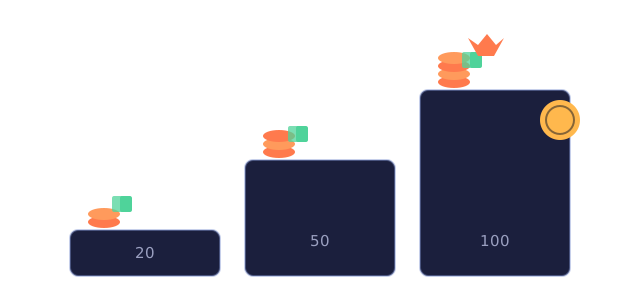
Coins
Coins are the platform's currency, and they come from two places: 1 coin free every day you sign in (open the portal and it's credited, once per day); when you need more, buy a coin pack on the Buy Coins page — three sizes, with your balance always shown at the top.
The main way to spend coins is donating: on a world page, tap "Donate" and pick a quick amount (1 / 5 / 10) or a custom positive number. Donations don't discriminate — give to a world you love, or to your own.
Your total donations in a world decide your title there, and your title updates the moment a donation lands. Every coin movement is on the record: daily rewards, coin pack top-ups, donations, and frame purchases all appear in the "Coin Ledger" of your Wallet.
You can reach your wallet from the 'Billing & Spending' link at the top right of the Buy Coins page, or from 'Billing' in the user menu. The top half is your coin ledger; the bottom half lists every order (paid / pending).
Frames & badges
The Market sits in the portal's top navigation, right after Explore: avatar frames are on sale now, while Nameplate Decorations and Skins show "Coming soon". You can browse without signing in — once signed in, you can buy with coins.
An avatar frame is a round, cut-out image layered over your avatar. There are 8 designs across four price points (5 / 10 / 15 / 20 coins); once bought, it's yours forever, and you can wear or remove it anytime in Account Settings.
Badges are earned through achievements only — never bought. Two families today: account age (1 / 5 / 10 / 20 years since registration) and total visitors to your worlds (100 / 500 / 1,000 / 10,000 — each visitor counts once, guests included, across all your worlds). They're granted automatically, with a notification in your inbox.
Wear them in Account Settings: the nameplate card has a frame selector (owned frames only, plus a link to the Market) and 3 badge slot buttons. Tap a slot to pick from your earned badges — unearned ones show their progress — and remove any badge anytime.
Nameplate
Your nameplate is your personal display card: a rectangle with your avatar on the left, nickname on the upper right and title on the lower right, with the nickname clearly in the lead. It appears on author pages, the author line of world cards, the friends panel, and the user list of multiplayer worlds.
In Account Settings, the first card in the left column is your nameplate card — your avatar lives inside it (click it to edit) — with a live preview, color pickers for "Background" and "Text", and a "Default" button that restores the default colors in one tap. The title dropdown lists worlds where you've earned a title — pick one to display, or choose to show none.
The title on your nameplate resolves live: if an author changes their world's thresholds, your plate updates immediately; if your chosen title no longer applies, it is marked "no longer earned". In a multiplayer world with titles, the user list shows your title in that world instead.
In multiplayer worlds, "View info" in the nameplate menu opens a full profile card. Guests have no nameplate — they appear as 「游客·XXXX」 in the default style.
Membership
The free tier covers all of creation — build worlds, publish them, connect them, with no limit on how many. Membership does exactly one thing: raise the player cap per instance of your multiplayer worlds.
Each instance of a multiplayer world runs independently, and the cap decides how many users can be inside one at the same time. When it is full, new users can pick another instance with room or cancel — instances are created by the author, never automatically.
| Tier | Players per instance |
|---|---|
| Free | 4 |
| Plus | 12 |
| Pro | 32 |
| Studio | 64 |
Reach the Subscription page via "Upgrade" in the user menu or the membership card in Settings: your current tier and expiry date up top, a three-tier comparison table below, with 30 / 90 / 365 days per tier. If you don't finish paying, no worries — resume your pending payment anytime.
After expiry there's a grace period: renew within it and your time continues from the original expiry date, with no gap in benefits. Coin purchases and subscriptions live on separate pages — Buy Coins for coins, Subscription for membership.